CYFREX Robot EA

GRAVITY

The EA that knows when to wait

A gold-trading Trend Following robot. Unlike typical EAs, it doesn't keep opening orders — it only enters when the market moves strongly, such as around news releases or market opens. When the market is flat, GRAVITY waits.

Trend Following XAUUSD Risk 3/5 Free · No VPS
GRAVITY Robot EA
Lowest riskof CYFREX's 5 robots
If you've run EAs before

you've probably run into these

✕
Always opening ordersEven in sideways markets, so open positions pile up
✕
Scared of newsYou switch the bot off before big news, afraid of spikes
✕
Renting a VPSInstall MT4/MT5 yourself, maintain the server and pay every month
✕
Expensive EAsGood EAs usually cost a one-off fee or a monthly subscription
How GRAVITY works

Wait → Detect momentum → Follow the trend

GRAVITY doesn't look for a reason to trade on every candle — it waits until the market has a clear direction.

Flat market (sideways) GRAVITY waits, no orders News / market open Follows the trend → once momentum confirms direction

Illustration of the concept, not real trading results

01 · WAITWaitWhile the chart moves sideways, the robot doesn't open orders, cutting unnecessary open positions.
02 · DETECTDetect momentumWhen price moves strongly, such as around news or market opens, the robot starts looking for an entry.
03 · FOLLOWFollow the trendOpens orders in the direction of the trend. Runs 24 hours a day, including during news.
What if it's wrong?

Straight answer

If the first order goes the wrong way, GRAVITY adds recovery orders at Grid distances and increases lot size by your multiplier. Your account can be in drawdown during this time. You set the limits for every value.

  • Lot LimitCaps the maximum lot size per order
  • Max OrderCaps how many orders can be open at once
  • Stop LossSets the account's stop-loss level
Spec
StrategyTrend Following
AssetGold (XAUUSD)
TimeframeH1 signals · M5 recovery
Trading hours24 hours, including news
Account typesUSD and CENT
Risk level3/5
Runs onCES (Cloud Execution System), no VPS
CostFree — no need to buy or rent
GRAVITY vs traditional EAs

How is it different from the EAs you've used?

GRAVITY on CYFREXTraditional EA (MT4/MT5 + VPS)
EntriesWaits for strong market moves before enteringMany keep opening orders at fixed distances, even in flat markets
Robot costFreeUsually a one-off fee or monthly rental
ServerRuns on CYFREX's cloud, no VPSRent and maintain a VPS yourself
SetupPick the robot in the app and tap StartInstall MT4/MT5 and load the EA and .set files yourself
Settings / resultsAll from your phoneRemote into the VPS
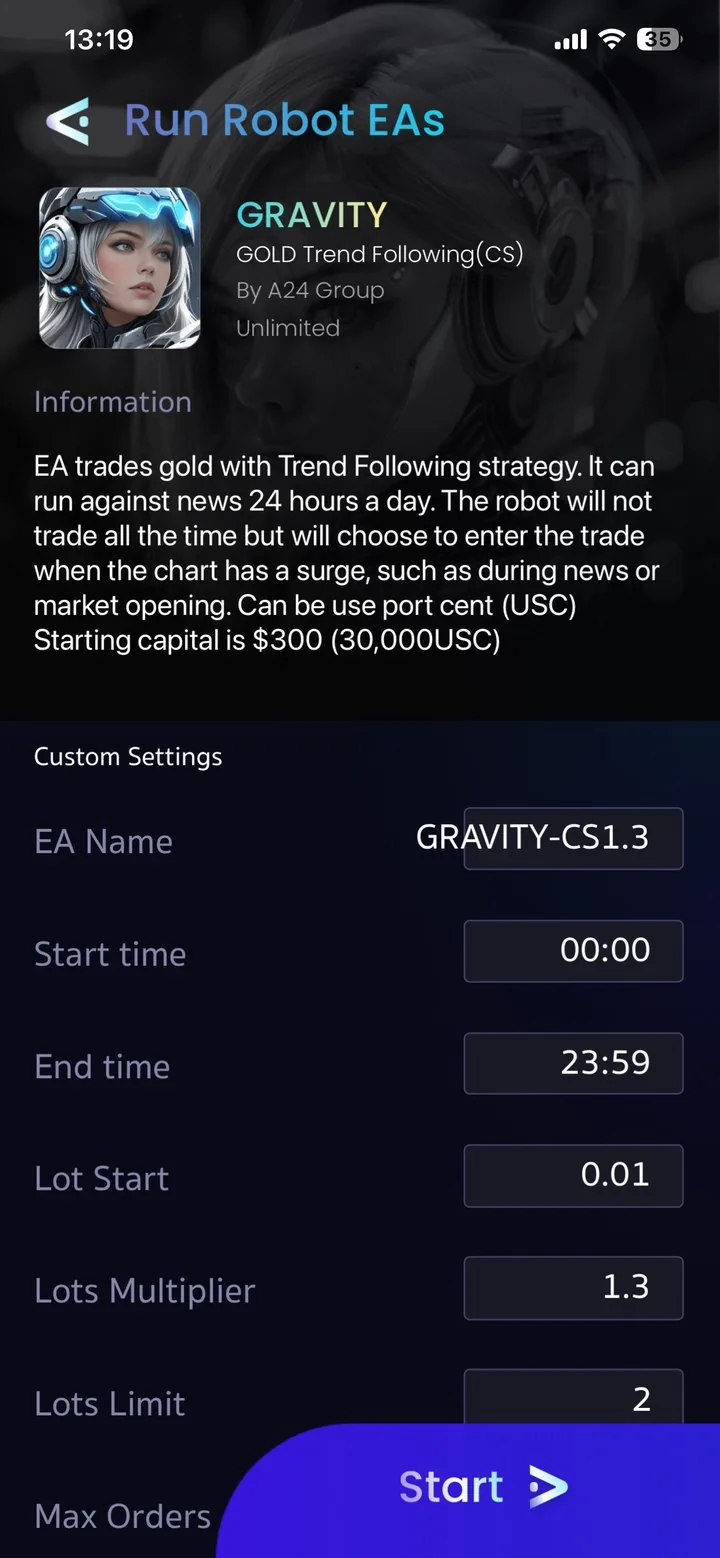
GRAVITY settings screen in the CYFREX app
Real screenshot from the CYFREX app
Full control

The values you used to edit in a .set file
now on your phone

Trading hours (Start / End time), starting lot, Lots Multiplier, Lots Limit, Max Orders and more — adjust them yourself in the app, or pick a Preset for your balance, then tap Start.

Is GRAVITY for you?

Does it match your style?

A good fit if you…

  • Don't like high risk and want the lowest-risk robot in the lineup
  • Want to leave the robot running without switching it off before news
  • Like the Trend Following idea: enter when the market has direction
  • Are tired of VPS and EA rental fees

Maybe not if you…

  • Want the robot to trade every day (GRAVITY may not trade at all on flat days)
  • Prefer quick, short-term profit taking — try NANITE
  • Prefer hedging in sideways markets — try STEEL
Risk level

Risk level compared with the other robots

GRAVITY
3/5
MAETEL
4/5
STEEL
4/5
NANITE
4/5
TRITON
4/5

Risk levels are set by CYFREX to compare its robots. A 3/5 risk level does not mean you can't lose money.

Try before you commit

Not sure yet?
3 ways to see for yourself

Don't take the ad's word for it — look at the data and try it at a risk level you choose.

01

See GRAVITY users' accounts in the app

Download the free app and take a look right away in the Robot Ranking menu: accounts running GRAVITY, with daily results, drawdown and the settings each user chose.

02

Start small with a Trial account

Your first account starts from 10,000 cent ($100) and works with every robot. See how it really runs with money you're prepared to risk, then scale up.

03

Talk to other users

Join the CYFREX users' Telegram group to swap setting tips and robot-running experience with other traders, with the CYFREX team on hand to help.

Reviews

What GRAVITY users say

From the CYFREX users' LINE OpenChat group (screenshots in Thai)

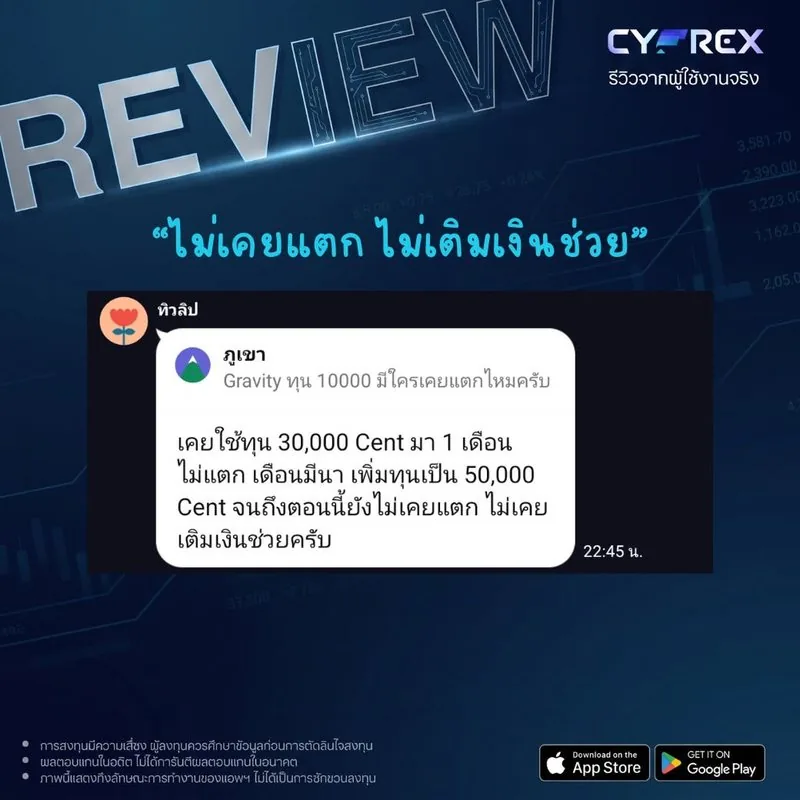
Never blown, never had to top up

“Never blown, never had to top up”

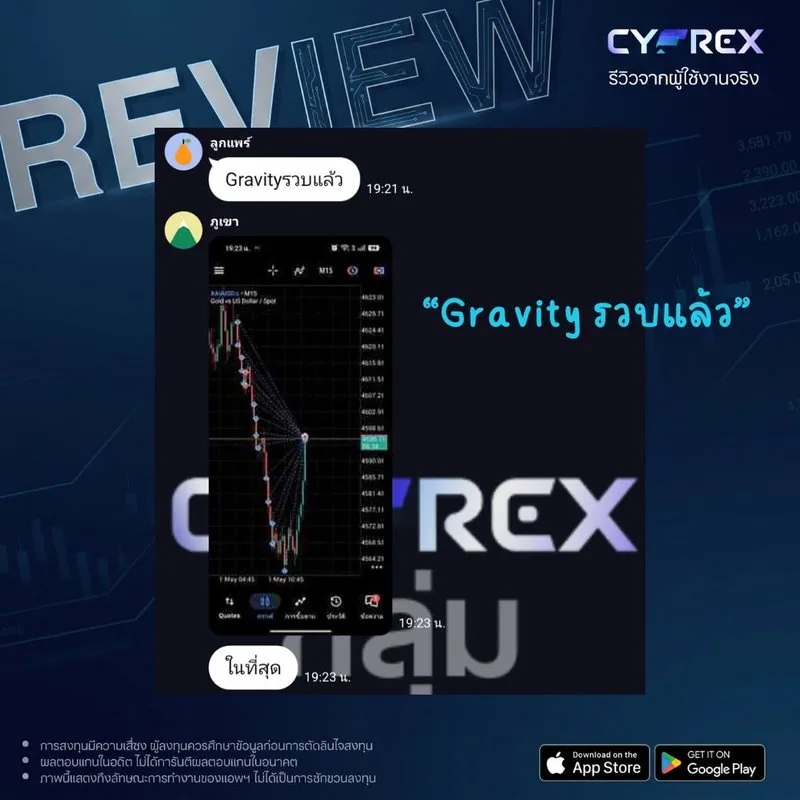
GRAVITY closed the whole basket

“GRAVITY closed the whole basket”

User opinions. Individual results vary and are not a guarantee of returns.

Get started

Start GRAVITY in 3 steps

01Download the CYFREX appFree on the App Store and Google Play
02Open an account with our partner brokerIn your own name — deposit and withdraw directly with the broker
03Choose GRAVITY, tap Request, then StartPick a preset for your balance, or adjust it yourself
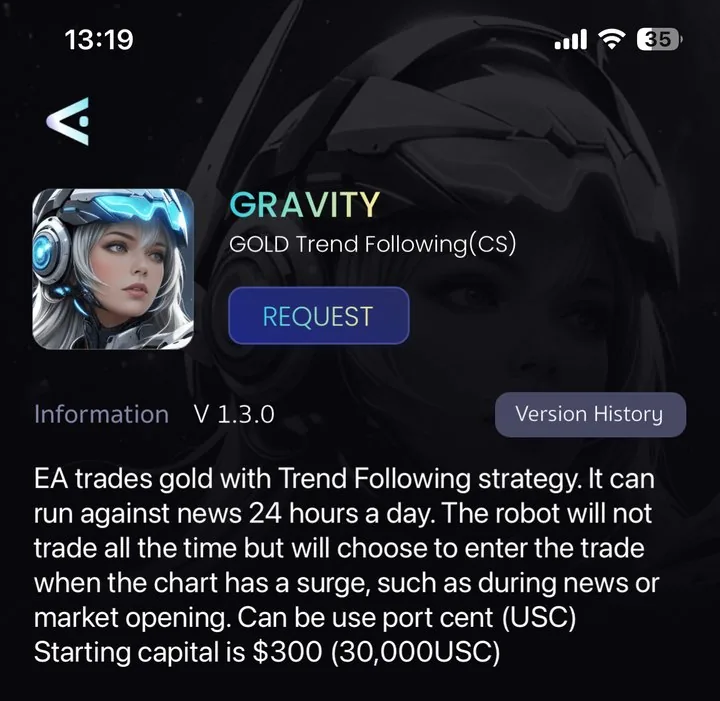
GRAVITY in the CYFREX app Store
GRAVITY in the CYFREX app Store: tap Request to get started

First account (Trial) from 10,000 cent ($100) · From the 2nd account on, GRAVITY needs 30,000 cent ($300)

FAQ

GRAVITY FAQ

Why does GRAVITY sometimes not trade all day?

That's normal. GRAVITY only trades when the market moves strongly with a clear direction, so on flat or sideways days there may be no orders.

Can I really leave it running through news?

Yes. GRAVITY is designed to run 24 hours a day, including news. But prices move violently around news, so set Lot Limit, Max Order and Stop Loss to suit your balance.

Does risk 3/5 mean I won't lose money?

No. The risk level only compares CYFREX's robots. When a trade goes the wrong way, GRAVITY adds recovery orders at Grid distances, which can put your account into drawdown, and CFD trading can lose all of your capital.

I used the old GRAVITY on MT4/MT5 — what's changed?

The strategy is still Trend Following, but it now runs in the CYFREX app via CES — no EA installation or VPS rental. You adjust settings and check results from your phone.

Does GRAVITY cost anything?

No, it's free. The only condition is opening an account with CYFREX's partner broker.

Contact

Still have questions about GRAVITY?

Message the CYFREX team — we'll help you choose settings that suit your balance.

GRAVITY

Let the robot wait for the right moment

Trend Following · Risk 3/5 · Free · No VPS

Open an account and use GRAVITY free →
Warning
  • Past performance does not guarantee future results. Users open and control their own accounts.
  • Trading CFDs carries a high level of risk and you may lose all of your invested capital. Users should study the information before investing and assess the level of risk they can accept before deciding to use the CYFREX app.

Privacy policy

What we collect

This website has no forms asking for your name, phone number or email. If you accept cookies, we collect usage data such as pages viewed, buttons clicked, device and browser type, approximate location (country or city) and how you arrived at the site.

Why we collect it

To measure and improve the website, and to measure and improve our advertising so it reaches interested people.

Third-party providers

Data is processed by Google (Google Analytics) and Meta (Meta Pixel), which may store it on servers outside Thailand under each provider's own privacy policy.

Links to other websites

When you follow links to the App Store, Google Play, our partner broker or our contact channels, any information you give those sites is governed by their own policies.

Your rights

You can withdraw consent at any time via “Cookie settings” at the bottom of the page. Under Thailand's Personal Data Protection Act B.E. 2562 (2019), you may request access to, correction of or deletion of your data by contacting us on LINE @cyfrexrobot.

Last updated: 24 September 2026

Start using GRAVITY free →