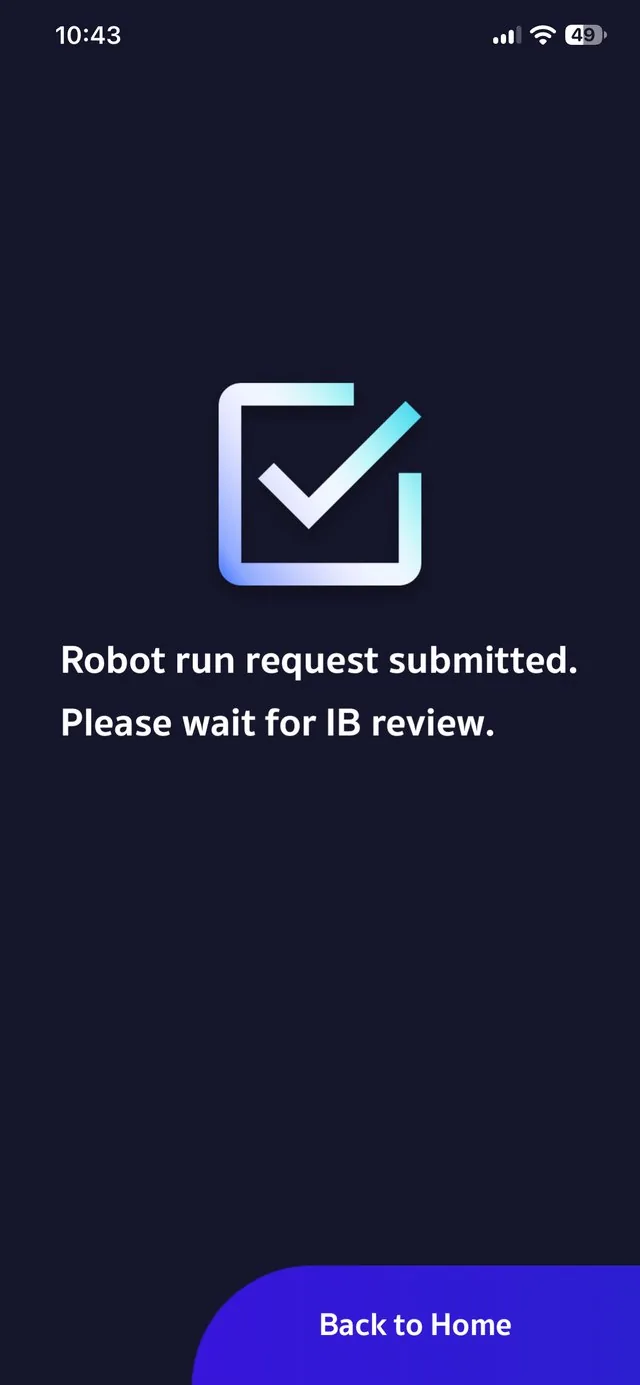
STEP 01
Open the app, go to the Store and pick a robot
Tap the Store icon in the bottom menu, then tap the robot you want to use (this example uses GRAVITY).
Every robot is free: nothing to buy, nothing to rent.
 12
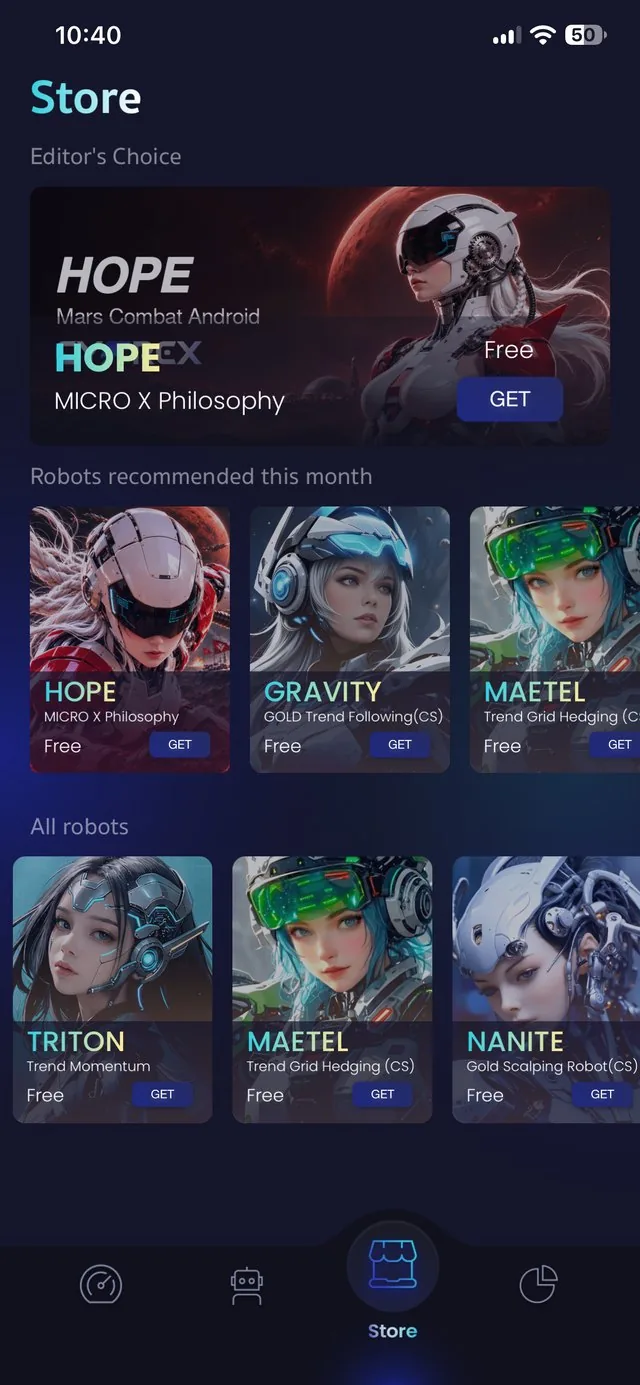
STEP 02
Check the details, then tap REQUEST
This screen shows the robot's description, starting capital and supported brokers.
- Check that the Support Brokers line includes the broker you opened your account with.
- FISG appears in the app as Interstellar.
If your broker is listed, tap REQUEST.
STEP 03
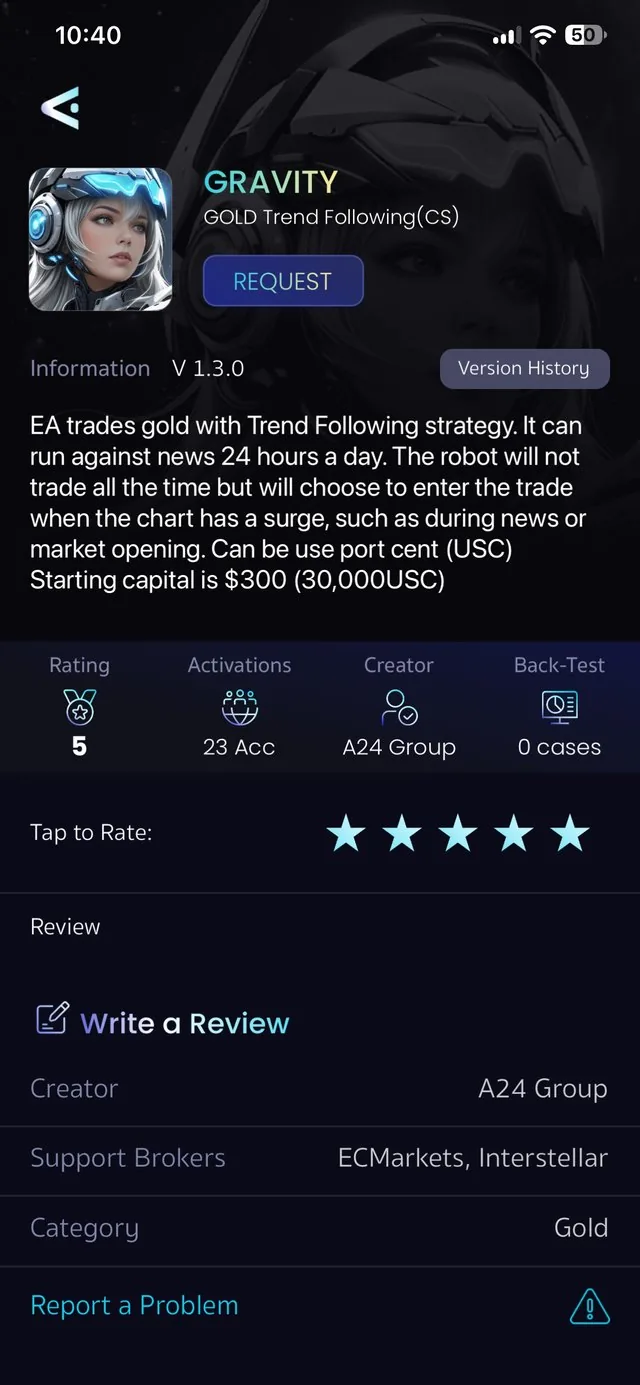
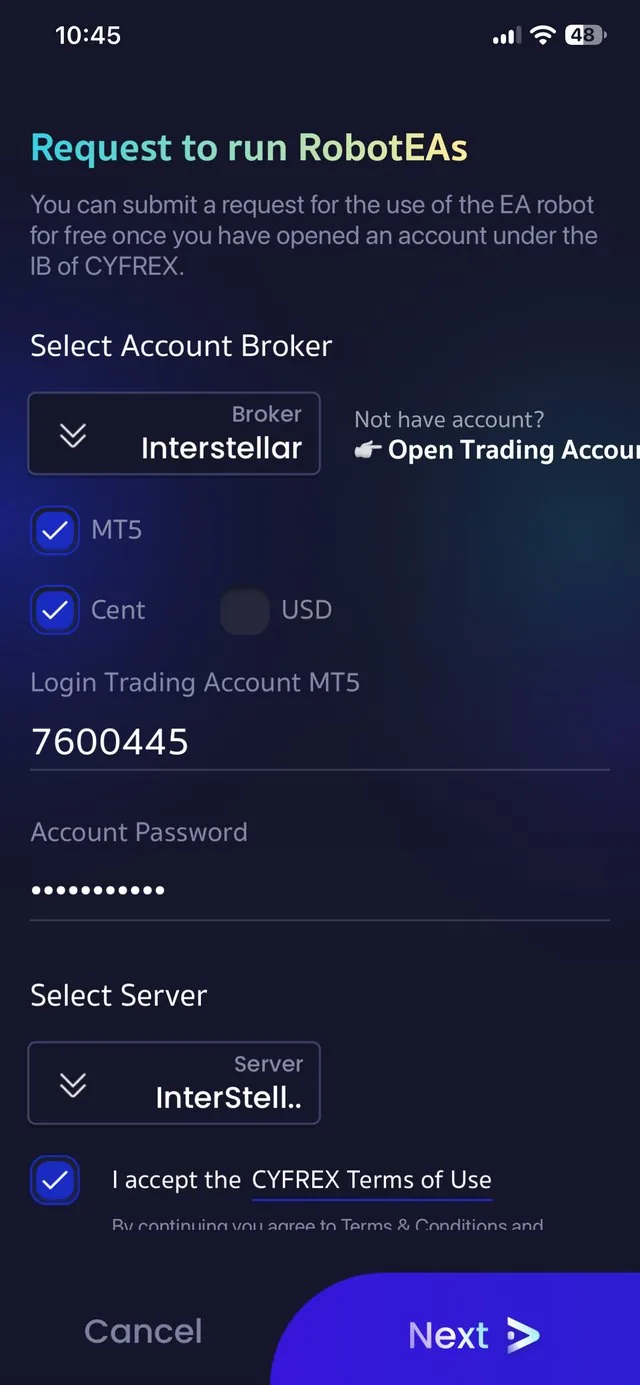
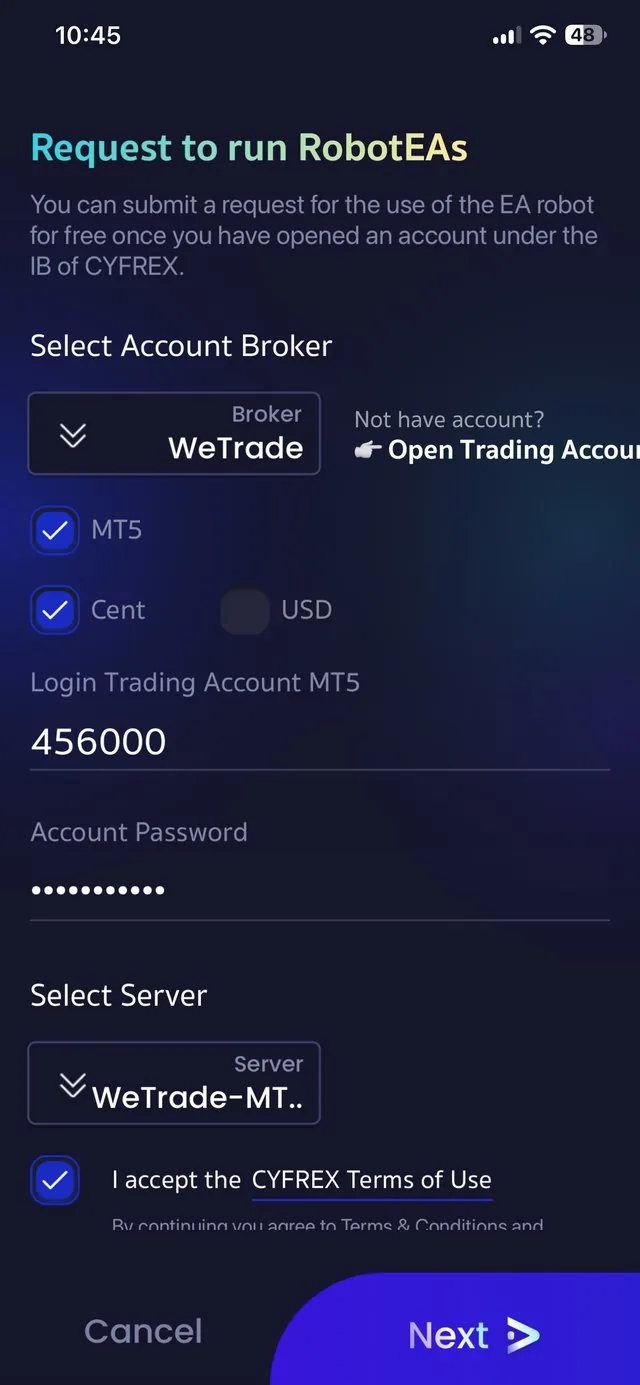
Enter your MT5 account details and tap Next
- 1Broker: the broker you opened your account with
- Tick MT5, then Cent or USD to match your account type
- 2Login: your MT5 account number
- 2Password: your MT5 main (trading) password, not the read-only Investor password
- 3Server: the one named in your broker's email
- 4Accept the Terms of Use and tap Next
| Broker | Name in the app | Server starts with |
|---|---|---|
| EC Markets | ECMarkets | ECMarkets… |
| FISG | Interstellar | InterStellar… |
| We Trade | WeTrade | WeTrade-MT… |
A USD account works too. The minimum is the same figure as for a Cent account: 30,000 USC in a Cent account becomes 30,000 USD in a USD account.
If the account number, password or server is wrong, the robot can't connect to your account. Always check against your broker's email.
 1234
STEP 04
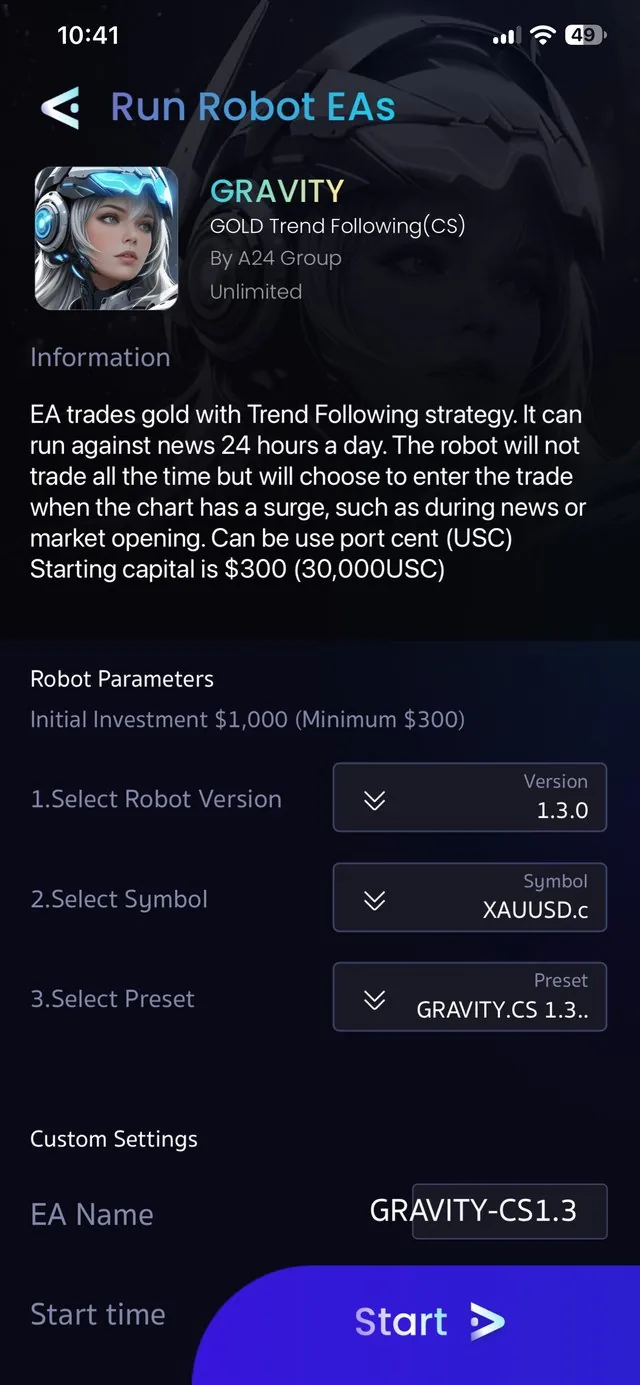
Choose the version, Symbol and Preset
- Robot Version: pick the latest version
- Symbol: pick the symbol the app shows (gold is XAUUSD; the suffix can differ by broker and account type)
- Preset: pick the ready-made settings that suit your capital
The top of the screen shows the robot's suggested and minimum capital. For the latest minimums, see Conditions →
STEP 05
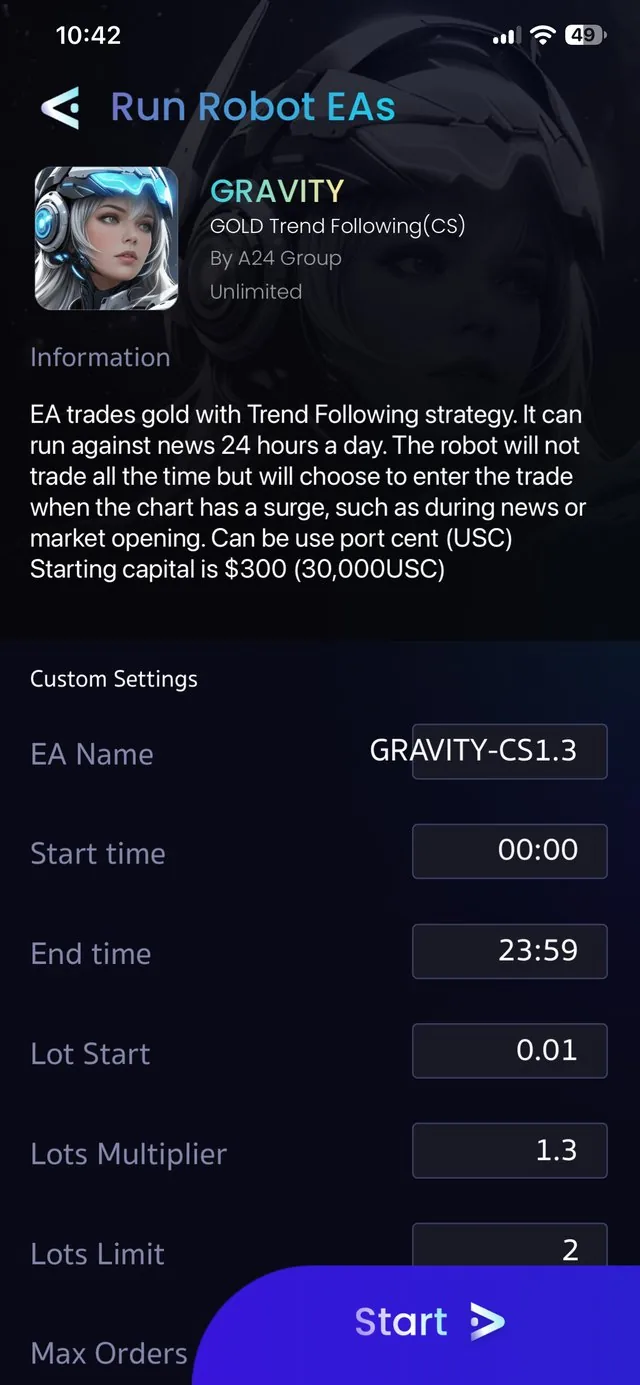
Adjust extra settings (optional) and tap Start
Scroll down to Custom Settings, such as start and end time, starting lot size and maximum orders. These are already filled in from the Preset you chose.
Not sure? Keep the Preset values and tap Start. You can change them any time later.
STEP 06
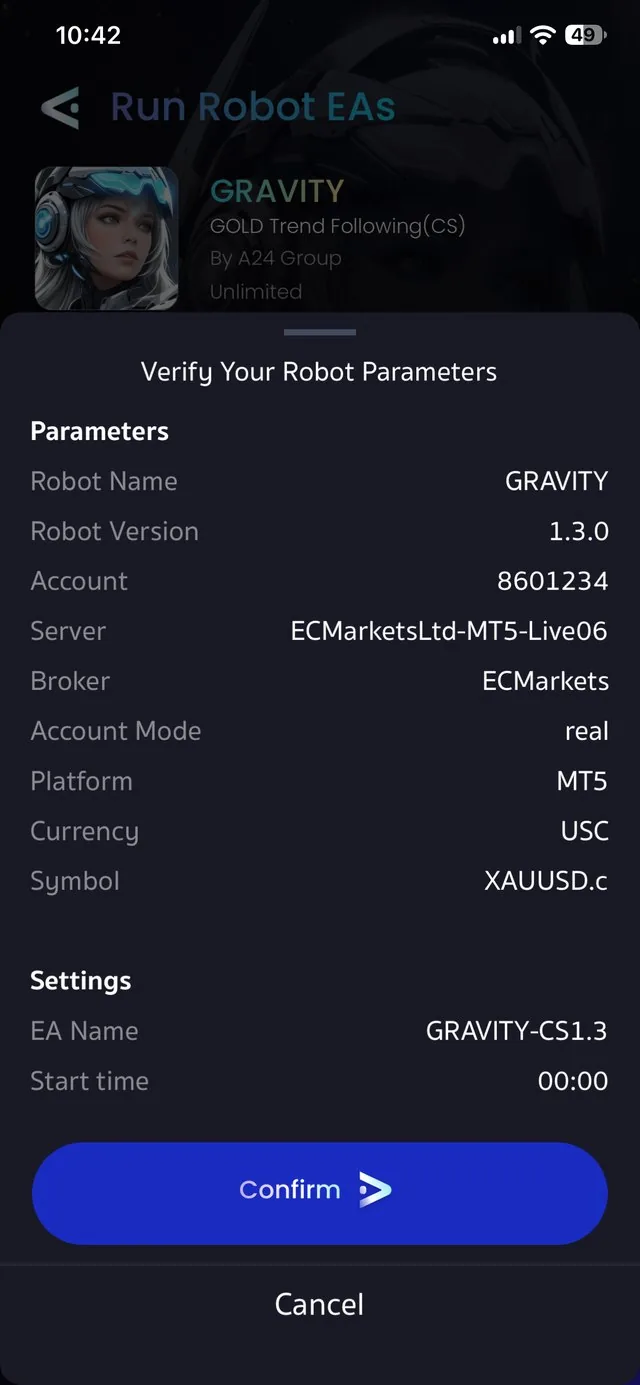
Check everything once more, then tap Confirm
The app shows a summary before sending. Check these 3 lines carefully:
- Account: your account number is correct
- Server and Broker: match your account
- Currency and Symbol: match your account type (Cent shows as USC)
All correct? Tap Confirm.
STEP 07
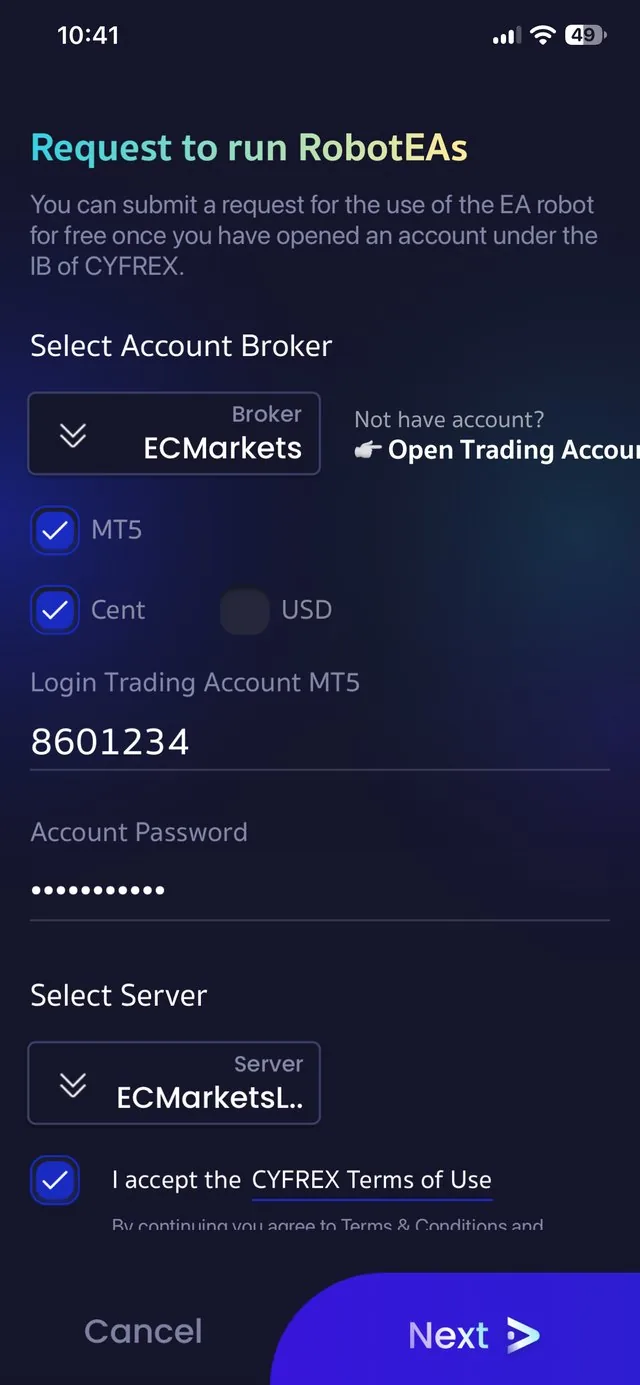
Request sent: the system reviews it in 5-10 minutes
When you see "Robot run request submitted", your request has gone through. The system checks that your account was opened through the CYFREX link, then approves the robot. This usually takes about 5-10 minutes.
If it hasn't been approved after 10 minutes, or you have questions, message the team on LINE @CYFREX or Telegram @CYFREX.